How to use Nano Banana 2
Is Nano Banana 2 the right AI tool for you?
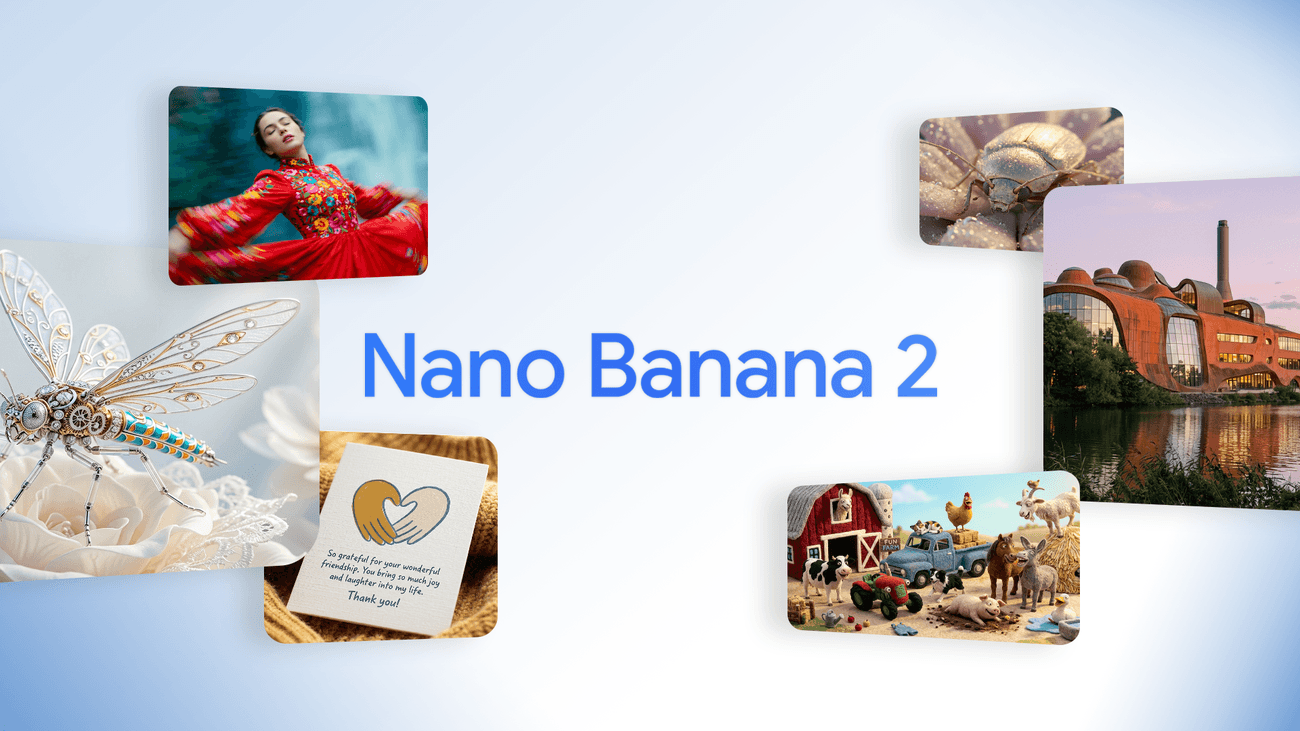
Nano Banana 2 is Google's latest and most powerful AI image generator, and it is changing how we create images with artificial intelligence. In this guide, we will cover exactly how to use Nano Banana 2, what features make the tool unique, and why it's currently one of the best AI tools for image generation on the market.
What is Nano Banana 2?
Nano Banana 2 is Google's new AI model for image creation, built on Gemini 3.1 Flash Image technology. The model combines the best of its predecessors – the advanced intelligence from Nano Banana Pro and the speed from Gemini Flash – into a single powerful tool.
The original Nano Banana was launched in August 2025 and quickly went viral thanks to its ability to generate and edit images with outstanding precision. In November 2025, Nano Banana Pro followed with even better quality. Now, in February 2026, Google takes the next step with Nano Banana 2 – faster, smarter, and more accurate than ever.
The tool is aimed at:
Marketers who need high-quality images at scale
Designers and creators who want professional image quality without long wait times
Content creators and social media managers who create visual content daily
Developers who want to integrate AI image generation into their applications
Why is Nano Banana 2 better than other AI image generators?
Today, there are many AI tools for image generation – Midjourney, DALL·E, Stable Diffusion, Adobe Firefly – but Nano Banana 2 stands out for several reasons:
1. Speed without compromising quality
Nano Banana 2 offers significantly faster rendering times compared to previous versions and competitors. You don't have to wait for minutes – images are generated in seconds, even in high resolution.
2. Advanced text rendering
One of the major weaknesses of older AI image generators has always been text in images. Nano Banana 2 solves this problem. The text is rendered with the same precision as the artwork around it – perfect for marketing images, banners, and social media graphics.
3. Real-world knowledge via Gemini
Nano Banana 2 leverages Gemini's real-time information and world knowledge, providing more contextually accurate and relevant images based on your prompts.
4. Consistency of characters and objects
Do you want to tell a story or create a slideshow with the same characters? Nano Banana 2 can maintain consistency for up to 5 characters and accurately reproduce up to 14 objects in a single workflow – a groundbreaking feature for content creators and illustrators.
5. High resolution up to 4K
You can generate images in resolutions from 512px up to 4K, in any aspect ratio. This makes Nano Banana 2 suitable for everything from web ads to print materials and large-scale campaigns.
How do you use Nano Banana 2? Step by step
Step 1: Choose your platform
Nano Banana 2 is available in several locations:
Gemini app – The easiest way for individuals and content creators
Google Search (AI Mode and Lens) – Image generation directly in Google's search service
Google Flow – Google's AI-powered video tool with built-in image generation
Gemini API and Vertex API – For developers wanting to integrate the tool into their applications
Google AI Studio – For more advanced and technical users
Antigravity – Google's new developer tool with support for Nano Banana 2
Step 2: Create an account (if you don't already have one)
You need a Google account to use Nano Banana 2. If you want access to the most advanced features, you need a subscription to Google AI Pro or Google AI Ultra.
With these premium plans, you can also continue to use Nano Banana Pro for specialized tasks – you can easily select the model via the three-dot menu when regenerating images.
Step 3: Write an effective prompt
The quality of your image largely depends on how you formulate your prompt. Here are tips to get the best results with Nano Banana 2:
Be specific and detailed:
Instead of "a dog on a beach" – write "a golden retriever playing in the surf on a sunny Mediterranean beach, photographed with an 85mm lens, warm afternoon light, vibrant colors, 4K"
Include style and mood:
"Minimalist marketing graphic, white background, Scandinavian design, clean and modern feel"
Specify aspect ratio and resolution:
"16:9, 4K, wide angle"
Use text rendering effectively:
Specify exactly what text you want in the image and its style for the best results with Nano Banana 2's improved text rendering.
Step 4: Generate and edit
Once you've submitted your prompt, Nano Banana 2 generates the image within seconds. Not completely satisfied? You can:
Regenerate with the same prompt for variation
Edit specific parts of the image without damaging the rest
Adjust the prompt and iterate until you get exactly what you want
Step 5: Export your image
When you are satisfied with the result, you can easily download the image. All images created with Nano Banana 2 are automatically watermark-stamped with a SynthID watermark – Google's system for identifying AI-generated images. In addition, the images are linked to C2PA Content Credentials, providing transparency on how AI was used in its creation.
Nano Banana 2 for developers
Are you a developer? Nano Banana 2 offers powerful opportunities for building AI-powered image applications:
Gemini API – Available in preview, easy to integrate
Gemini CLI – For command-line-based workflows
Vertex AI API – Google's enterprise platform with a focus on scalability
AI Studio – Experiment and prototype quickly
Antigravity – Google's new developer tool with built-in support
With Nano Banana 2's API access, you can build everything from automated image pipelines to creative apps that generate images in real-time based on user input.
Safety and responsible AI
Google has put a strong focus on responsible AI with Nano Banana 2:
SynthID watermarks automatically identify all AI-generated images
C2PA Content Credentials provide detailed information on how and when AI was used
Built-in safeguards prevent the creation of harmful or inappropriate content
This makes Nano Banana 2 a trustworthy tool even for companies with high transparency and ethical AI usage requirements.
Frequently Asked Questions about Nano Banana 2 (FAQ)
Is Nano Banana 2 free? Nano Banana 2 is available via the Gemini app and Google Search for all users. Premium features and unlimited usage require a subscription to Google AI Pro or Ultra.
What is the difference between Nano Banana 2 and Nano Banana Pro? Nano Banana Pro focuses on maximum image quality and advanced creative control. Nano Banana 2 combines high quality with significantly faster speed – ideal for scale and fast iteration.
Can I use images from Nano Banana 2 commercially? Yes, images generated with Nano Banana 2 can be used commercially, but you should always review Google's current terms of use for the exact rules.
Does Nano Banana 2 support Swedish prompts? Yes! Nano Banana 2 understands prompts in Swedish and a multitude of other languages thanks to Gemini's multilingual capabilities.
What resolutions are supported? Nano Banana 2 supports resolutions from 512px up to 4K, in any aspect ratio.
Can I edit existing images with Nano Banana 2? Yes, Nano Banana 2 supports advanced image editing – you can edit specific parts of an image without affecting the rest.
What is SynthID? SynthID is Google's technology for marking AI-generated images with an invisible digital watermark, allowing for the identification of AI content.
Conclusion: Is Nano Banana 2 the right AI tool for you?
Nano Banana 2 is one of the most powerful AI tools for image generation available today. With its combination of speed, quality, advanced text rendering, and character consistency, it sets a new standard for what AI images can achieve.
Whether you are a content creator needing stylish images for social media, a marketer wanting to scale up production quality, or a developer building the next generation of creative applications – Nano Banana 2 has the tools you need.
Try Nano Banana 2 today via the Gemini app or Google Search and see the difference for yourself.
Want to explore more powerful AI tools? Aival is Sweden's leading catalog and library for AI tools – here you will find the best tools for every need.
Written by: Aival.se
Date: February 27, 2026
Read more:
Load more